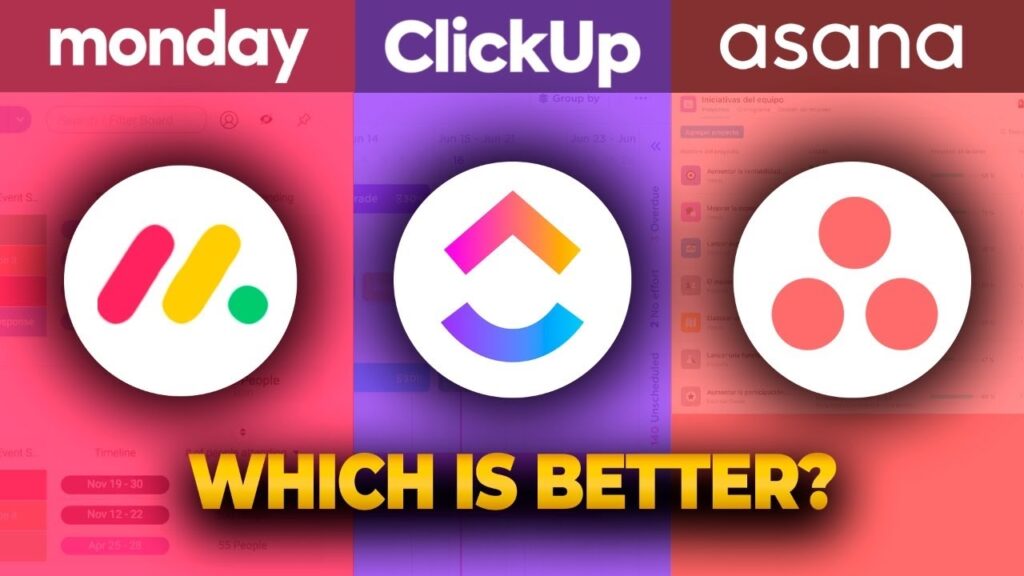
Choosing the right project management software can feel like navigating a maze. With so many powerful options available, finding the one that fits your team’s workflow is crucial for success. The right tool can transform chaos into clarity, streamline communication, and push your projects across the finish line faster. Three of the most popular contenders in this space are Asana, Monday.com, and ClickUp.
Each platform offers a unique approach to managing tasks, tracking progress, and fostering collaboration. But which one is best for you? This comparison will break down their key features, pricing models, user experience, and integration capabilities to help you make an informed decision for your business.
Feature Face-Off: What Do They Offer?
While all three tools aim to organize your work, they do so with different strengths and core functionalities.
Asana: The Task Management Specialist
Asana excels at task and project management with a clean, list-based interface. Its strength lies in its simplicity and focus on breaking down large projects into manageable tasks and subtasks.
- Key Features: Multiple project views (List, Board, Timeline, Calendar), custom fields, dependencies, and robust automation rules through its “Rules” feature.
- Best For: Teams that need a straightforward, powerful tool for managing complex projects with clear hierarchies and dependencies. Its timeline view is particularly useful for mapping out project schedules.
Monday.com: The Visual Work OS
Monday.com brands itself as a “Work OS,” a flexible platform that can be customized for nearly any workflow, not just project management. Its highly visual and colorful interface makes it stand out.
- Key Features: Highly customizable boards with dozens of column types, multiple views (Kanban, Gantt, Calendar), built-in time tracking, and powerful dashboard widgets for reporting.
- Best For: Teams that prioritize visual workflows and need a versatile platform for managing everything from marketing campaigns to sales pipelines. Its customizability is its biggest asset.
ClickUp: The All-in-One Powerhouse
ClickUp aims to be the one app to replace them all. It packs an incredible number of features into a single platform, offering extreme flexibility and customization.
- Key Features: Over 15 different views (including List, Board, Box, and Calendar), native Docs, Mind Maps, Goals, and an in-app notepad. Its hierarchical structure (Spaces > Folders > Lists > Tasks) allows for deep organization.
- Best For: Power users and teams who want ultimate control and a vast feature set without leaving a single app. If you can dream of a feature, ClickUp probably has it.
Pricing: A Look at the Bottom Line
Your budget plays a significant role in your decision. Here’s how the pricing for Asana, Monday.com, and ClickUp compares.
- Asana: Offers a solid free plan for individuals or small teams of up to 15 people. Paid plans unlock more advanced features like Timeline view, custom fields, and advanced reporting. The pricing structure is relatively straightforward, scaling per user.
- Monday.com: Provides a free plan for up to two users. Paid plans are tiered and require a minimum of three users, which can make it a pricier option for smaller teams. The cost increases based on features and the number of “actions” used in automations and integrations.
- ClickUp: Features one of the most generous free plans on the market, offering access to most of its core features for an unlimited number of users. Its paid plans are also very competitively priced, providing significant value for the cost.
User Experience and Learning Curve
A tool is only effective if your team actually uses it. The user experience and initial learning curve are critical factors.
- Asana: Widely praised for its clean, intuitive design. New users can typically get started with minimal training, making it easy to adopt across an organization. It prioritizes simplicity without sacrificing power.
- Monday.com: Its bright, visual interface is engaging and easy to navigate. While the core functionality is simple, the sheer number of customization options can be overwhelming for some users initially.
- ClickUp: The platform’s greatest strength—its vast feature set—also contributes to its steepest learning curve. New users may feel overwhelmed by the number of options and settings. However, once mastered, it offers unparalleled control.
Integrations: Connecting Your Tools
No project management tool exists in a vacuum. Seamless integration with other apps like Slack, Google Drive, and Salesforce is essential.
- Asana: Boasts a large library of over 200 integrations, connecting smoothly with the most popular business tools.
- Monday.com: Also offers a strong selection of integrations and allows you to build custom automation “recipes” that connect different apps.
- ClickUp: Provides a wide range of native integrations and connects with thousands more through Zapier, allowing for deep and flexible workflow automation.
Conclusion: Which Platform Is Right for You?
The best project management tool depends entirely on your team’s size, workflow, and specific needs.
- Choose Asana if: You need a powerful, dedicated project and task management tool that is easy to adopt and excels at managing complex projects with clear timelines and dependencies. It’s a great choice for teams that value simplicity and focus.
- Choose Monday.com if: Your team is highly visual and needs a flexible, customizable platform that can adapt to various workflows beyond traditional project management. It’s ideal for marketing, sales, and creative teams.
- Choose ClickUp if: You are a power user or a team that wants an all-in-one solution with an extensive feature set at a competitive price. If you’re willing to invest time in the learning curve, it offers the most functionality and customization.
Ultimately, the best way to decide is to try them out. All three platforms offer free plans or trials. Sign up, create a test project, and see which one feels like the natural fit for helping your team achieve its goals.